Scheduling Tests
Instead of running a test manually or via the API, you can configure a schedule so it runs automatically on a recurring basis.
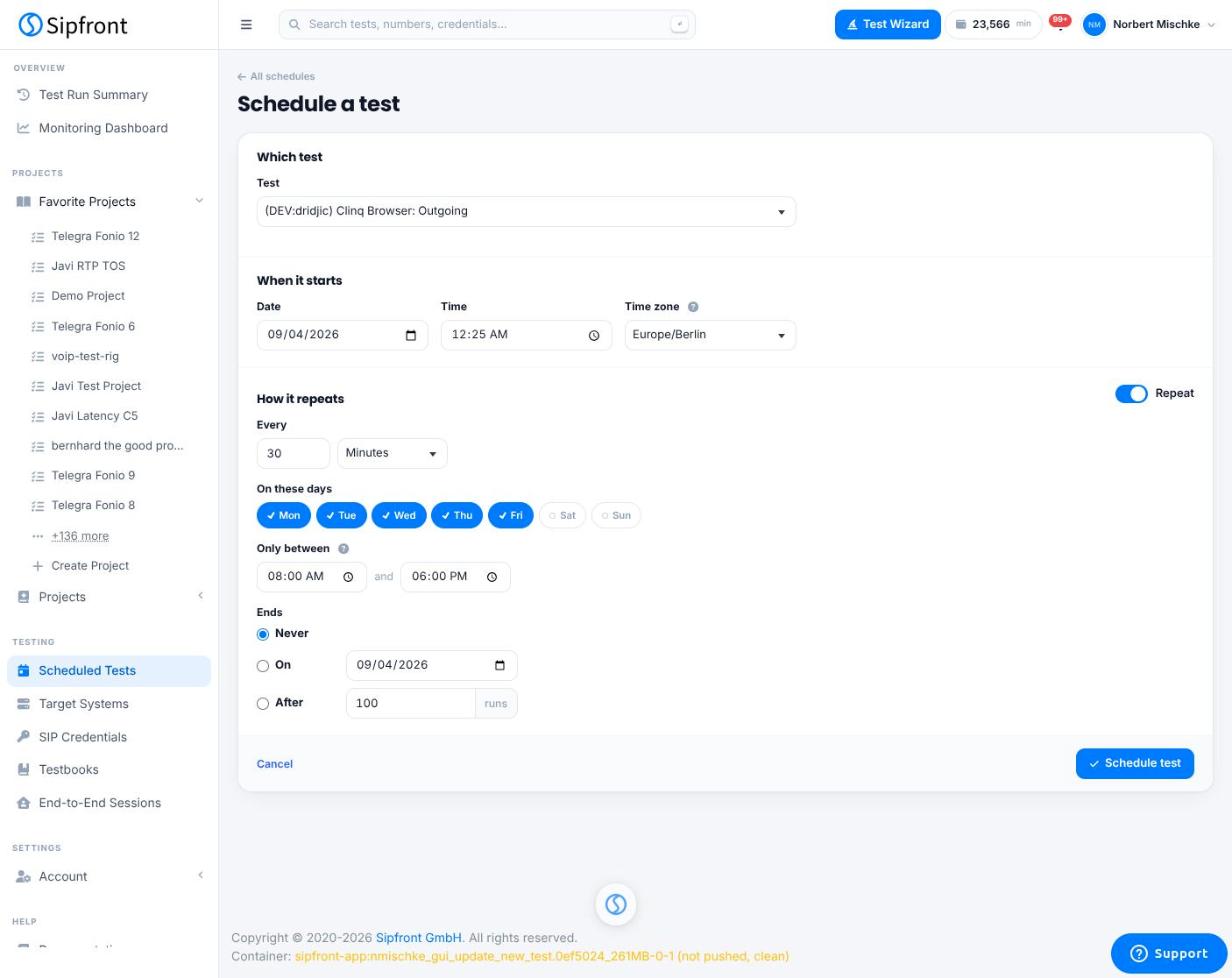
Repeat interval
A schedule repeats on a fixed interval, configured as Every N [Minutes/Hours/Days/Weeks/Months].
Restricting to certain days
The On these days option lets you restrict a schedule to specific weekdays (Monday through Sunday). By default, all seven days are selected.
This is a filter on top of the repeat interval, not a replacement for it: even if the interval is set to run every 10 minutes, a run is skipped on any day that isn't checked. For example, an interval of "Every 1 Hour" with only Monday, Wednesday, and Friday checked will run hourly, but only on those three days.
Restricting to a time window
You can further limit runs to a daily time window using Only between HH:MM and HH:MM. Combined with the day filter, this lets you build schedules such as "every 30 minutes, Monday to Friday, between 08:00 and 18:00".
Timezone
Schedules have their own timezone setting. The time window and the day boundaries (i.e. which calendar day a run falls on) are both evaluated in that timezone, not the timezone of the browser or the agent running the test.
Ending a schedule
By default, a schedule runs indefinitely (Never ends). You can instead stop it automatically:
- On a specific date
- After a given number of runs